expand_less
  • Dremel Base for routing soundholes and rosettes
expand_more
Dremel Base for routing soundholes and rosettes
close

Soundhole & Rosette router template

Ref: 0013959001
$41.48
$41.48
Tax excl.
In stock

 
Returns

If you're not satisfied, we'll give you your money back

 
Quality Assurance

Professional team

 
Free Shipping

Starting at €150 excl. VAT / €181.50 incl. VAT for mainland Spain and Europe*


100% Secure Payments

Overview Soundhole & Rosette router template:

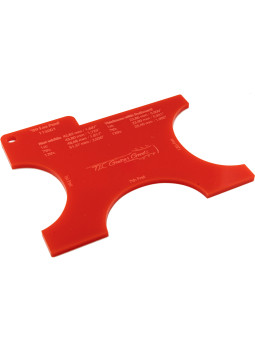
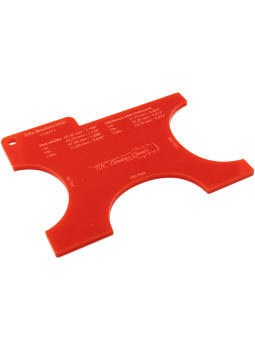
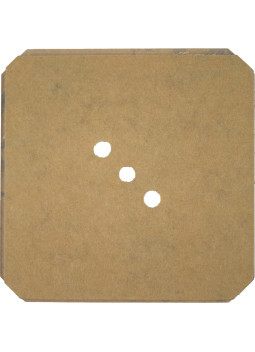
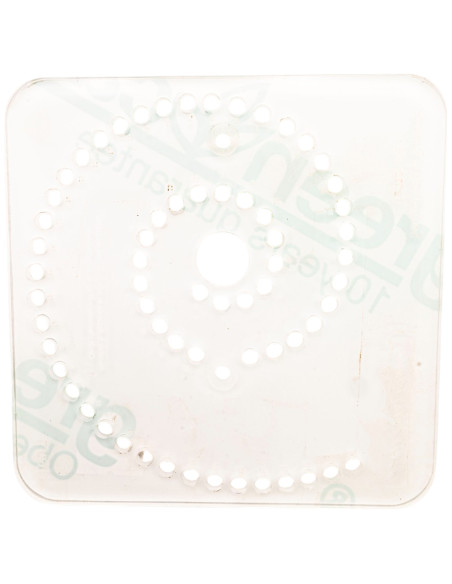
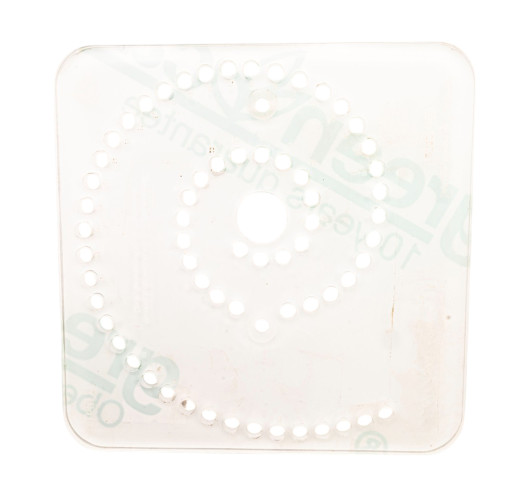
You won't believe how much time you will save with our Soundhole & Rosette router template. This accessory can be used for diameters from 24 to 150mm and all 2mm pitches in between. The template has a pair of drilled holes, 7cm apart, for you to use the right accessory for Dremel or similar tool.

How to use the rosette template:

  1.     Draw the center point of your mouth or rosette and drill a 5 mm diameter hole.
  2.     Place the template on the router base, insert the router bit and adjust the height.
  3.     Set the desired diameter (the indicated radius x2). Take into account the diameter of the drill bit.
  4.     Place the 5mm metal pin in the hole of the template with the corresponding number.
  5.     Hold the router at some distance from the surface and let the pin slide into the hole until the router bit is slightly above the surface.
  6.     Turn the router on and let it slide down until the template is resting on the surface.
  7.     Move with light pressure in a circle until it turns all the way around. Change diameter and drill bit accordingly to make the channel wider.

Features:

  • Dimensions: 130x130x5mm
  • Material: Plexiglass

0013959001
9 Items

Data sheet

Type of Tool: Template
Type of Work: Instrument Building

Reviews

No customer reviews for the moment.

Write your review

Soundhole & Rosette router template

Overview Soundhole & Rosette router template:

You won't believe how much time you will save with our Soundhole & Rosette router template. This accessory can be used for diameters from 24 to 150mm and all 2mm pitches in between. The template has a pair of drilled holes, 7cm apart, for you to use the right accessory for Dremel or similar tool.

How to use the rosette template:

  1.     Draw the center point of your mouth or rosette and drill a 5 mm diameter hole.
  2.     Place the template on the router base, insert the router bit and adjust the height.
  3.     Set the desired diameter (the indicated radius x2). Take into account the diameter of the drill bit.
  4.     Place the 5mm metal pin in the hole of the template with the corresponding number.
  5.     Hold the router at some distance from the surface and let the pin slide into the hole until the router bit is slightly above the surface.
  6.     Turn the router on and let it slide down until the template is resting on the surface.
  7.     Move with light pressure in a circle until it turns all the way around. Change diameter and drill bit accordingly to make the channel wider.

Features:

  • Dimensions: 130x130x5mm
  • Material: Plexiglass

Write your review

You might also like

close
zoompanmobile